
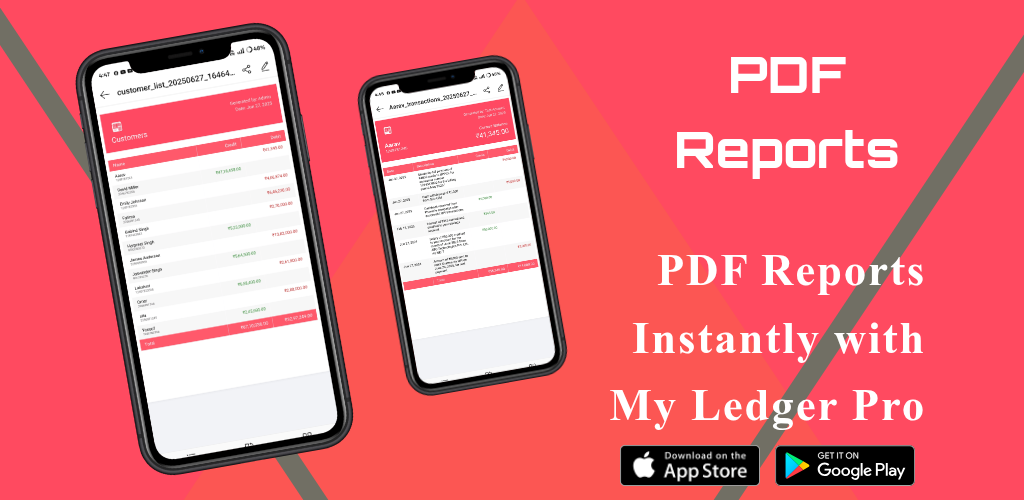
Generate Beautiful PDF Reports Instantly with My Ledger Pro
Article
Managing your records is one thing—but being able to present them clearly and professionally is another. Whether you’re reviewing your own data, sending summaries to clients, or preparing files for accountants, having access to ready-to-use PDF reports can save hours of work.
That’s why My Ledger Pro makes it effortless to generate polished PDF reports that are clear, consistent, and completely professional.
📋 Create Reports for All Customers at Once
Need a snapshot of your entire business activity?
With just a few taps, My Ledger Pro lets you:
-
Export complete financial reports covering all customers
-
Include all income, expenses, interest, and notes in the report
-
Filter by date range, transaction type, or payment method
-
Generate yearly, monthly, or custom-period summaries
This is perfect for:
-
Internal reviews
-
End-of-month reports
-
Tax preparation
-
Investor or stakeholder presentations
👤 Generate Reports for Individual Customers
When working with clients, transparency builds trust. My Ledger Pro allows you to:
-
Select any customer from your list
-
Instantly view their entire transaction history
-
Export a clean, branded PDF report showing every entry
-
Include optional columns like interest, due dates, remarks, and categories
Each report is:
-
Well-organized with proper headings and totals
-
Sorted by date for easy review
-
Fully readable on desktop, tablet, or mobile
Whether you’re sharing with a customer or keeping a formal record, you’ll always have the data you need—clearly presented.
🎨 Professionally Designed Layout
We know presentation matters. That’s why every PDF generated by My Ledger Pro uses a clean, modern layout that includes:
-
Bold headers for easy navigation
-
Neatly aligned rows and columns
-
Totals and summaries highlighted
-
Optional branding or company name on the header
-
Consistent fonts, spacing, and structure for a polished look
You don’t need a designer or spreadsheet formatting skills—we’ve done it for you.
🔧 Customization Options
Tailor your PDF reports based on your needs:
-
Choose to include or exclude archived data
-
Select summary-only or full detailed view
-
Filter by specific transaction types or categories
-
Add interest details, outstanding balances, or payment notes
These options give you full control over how your data is shared—whether it's a quick summary or an in-depth breakdown.
📤 Easy to Share, Print, or Store
Once your report is ready, you can:
-
Download it to your device as a PDF
-
Send it via email or WhatsApp directly from the app
-
Print a hard copy for filing or physical sharing
-
Upload to cloud storage for safekeeping
Your records are always portable, presentable, and ready to go.
✅ Why Users Love This Feature
-
Saves time during tax season
-
Helps maintain professionalism with clients
-
Simplifies loan tracking and summaries
-
Reduces manual errors
-
Supports compliance and recordkeeping
🚀 Use Case Examples
-
A shopkeeper sends a monthly purchase report to a customer
-
A freelancer shares a summary of completed invoices
-
A business owner reviews all transactions across clients for Q1
-
A loan manager prints out account statements for each borrower
📲 Ready to Try It?
With My Ledger Pro, generating detailed reports is no longer a task—it’s a tap. Whether you're running a business, managing personal records, or handling accounts for others, our PDF report generation feature gives you a professional edge.
Track. Export. Share. Simple.
Download the app today or visit our website to learn more.
About the Author
Er. Govind Samrow is a contributor to My Ledger Pro blog.