
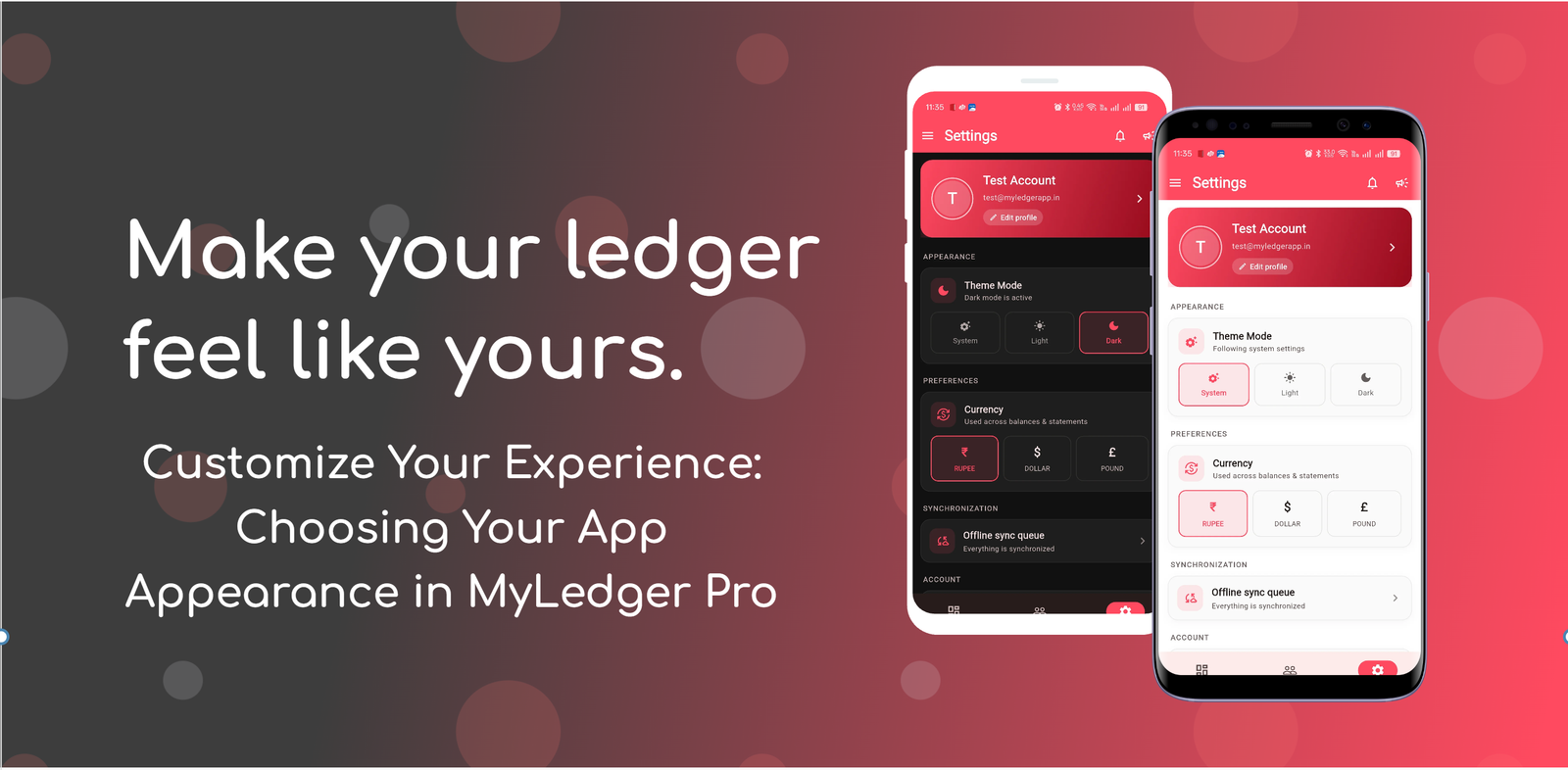
Customize Your Experience: Choosing Your App Appearance in MyLedger Pro
Article
MyLedger Pro Personalizing your software environment can significantly improve your daily workflow. When you interact with financial tools, having a comfortable visual setting reduces eye strain and helps you focus on the task at hand. MyLedger Pro is designed with flexibility in mind, offering multiple ways to tailor the interface to your personal style and lighting environment. Through our Progressive Web App (PWA), you can easily adjust how the platform looks with just a few clicks.
Exploring Your Visual Options
Available Theme Modes in MyLedger Pro
Every user has unique preferences when it comes to screen brightness and contrast. Whether you prefer a classic bright interface or a high-contrast dark layout, MyLedger Pro adapts to your needs.
The PWA offers light, dark, and system theme modes. These options ensure that your workspace looks great whether you are working in a brightly lit office late into the evening.
- Light mode: Provides a bright, clean interface that works exceptionally well in well-lit environments.
- Dark mode: Reduces screen glare and offers a sleek, comfortable visual experience in low-light settings.
- System mode: Automatically synchronizes with your device settings to match your current preferences.
How System Mode Simplifies Your Setup
Automatic Theme Synchronization
Managing multiple app settings across different devices can be tedious. To streamline this process, MyLedger Pro includes an intelligent automatic option for your convenience.
System mode follows your device appearance setting. This means that if your computer or mobile device switches from light to dark mode at sunset, MyLedger Pro will instantly adapt right along with it without requiring any manual adjustments.
- Eliminates the need for manual theme switching throughout the day.
- Seamlessly mirrors your operating system preferences for a cohesive digital experience.
Taking a moment to configure your app appearance ensures a more personalized and comfortable workflow. By utilizing the light, dark, or system theme modes available in the MyLedger Pro PWA, you can create a viewing environment that suits your exact needs. Explore your settings today and find the visual mode that works best for you.
Get MyLedger Pro
Manage your records from the app that fits your workflow.
About the Author
MyLedger Pro Team is a contributor to My Ledger Pro blog.